~well this is my blog and here i RULE~

SKT On Wednesday, July 27, 2011


The Android Market may not have as many apps as the iPhone App Store yet, but there are still enough to be overwhelmed, and it’s growing at a breakneck pace. To help you sort through them all, here’s my list of the best apps I’ve found on Android. Again, remember that this is a snapshot in time. The Android platform is developing so quickly right now that I guarantee my home screen look different a month from now.
The best way to view my list of the top Android apps is in the screenshot gallery. However, you can also view my top 25 in the list below.

The screenshots

The list

1. Google Voice
Google Voice is a service that is so useful I consider it one of the top benefits of Android itself, especially since Apple rejected the Google Voice app for the iPhone. It gives you a phone number that can ring to multiple places or devices and it allows you to access all of your voicemail and text messages over the Web. The Android app integrates even deeper. It can make outgoing calls look like they’re coming from your Google Voice number so that you can keep your real mobile number private.
2. Advanced Task Killer
One of the realities of having a multitasking mobile OS in Android is that you have to manage your apps so that they don’t hurt performance or battery life. Advanced Task Killer (or ATK) is my favorite. It even comes with a widget that you can tap once to kill all open apps.
3. Dropbox
Dropbox is a great cloud service that automatically syncs a folder of files between multiple computers (Windows, Mac, or Linux). This app extends Dropbox to Android and interacts with other apps (such as Documents To Go) to open the files.
4. Evernote
Once you get used to typing on a virtual keyboard (and it honestly took me over a year to do it), then these devices are great for note-taking, and Evernote is a great note-taking app. It is similar to Dropbox in that it saves data locally but syncs it across all your machines and devices.
5. DroidAnalytics
For some reason Google doesn’t have an official app (for either Android or iPhone) for Google Analytics. The best one I’ve found on Android is DroidAnalytics. Another good one is mAnalytics.
6. Documents To Go
The free version of Documents To Go offers a great little reader for Word and Excel files. You can upgrade to the full version (for $15) if you want to edit files and add PowerPoint files to the mix. If you do want editing capability, I’d also recommend taking a look at QuickOffice.
7. Amazon Kindle
I never warmed up to the Amazon Kindle e-reader, but I’m a big fan of the Kindle mobile app. Since it was released I’ve read a lot more books simply because my smartphone is always with me and I can pull it and read a few pages anytime I’ve got a couple minutes free.
8. Places Directory
This is an awesome app for finding shops and services near your current location. From restaurants to movie theaters to medical facilities to taxis, this app is very accurate and takes advantage of the business information from Google Local. This app is better than the info you get from a GPS unit (or app) and better than any of the similar apps available on the iPhone.
9. Tripit
I dig Tripit. It is by far the best app I’ve found for keeping track of all my travel itineraries. It runs on some great backend systems. You simply forward your confirmation emails for your flights, hotels, rental cars, and more to Tripit and it automatically organizes them into trips with all your details and confirmation numbers.
10. Seesmic
Twitter is an amazing instant-intelligence engine and it was made for mobile browsing. Although there’s an official Twitter app for Android now, Seesmic is still the best Android Twitter client.
11. FCC Speedtest
I’m obsessed with running speed tests to check my bandwidth in various places, both to see 3G fluctuations and to check the quality of Wi-Fi. There are a number of really good speedtest apps, but my new favorite is the FCC Test app.
12. Astro File Manager
Another one of the great things about Android (if you’re a geek or a tinkerer) is that you have lower-level access to the system itself. Astro is an app that lets you navigate the Android file system.
13. Got To Do
There are plenty of to-do apps to choose from on Android but I prefer Got To Do because of the solid interface and the fact that it can sync with the online service Toodledo.
14. Gist
Many of us have contact lists scattered across various computers, devices, and online services. Gist is a Web service that can bring them together and even pull in stuff from the Web to help you stay up to date with your most important contacts. There’s an Android app as well as an iPhone app.
15. TED Mobile
TED is a fascinating event that features a meeting of the minds of some of society’s most influential thinkers. You’ll definitely disagree with some of them, because there’s a large diversity of opinions, but many talks are worth listening to. What I love is that they’ve taken the videos from their conference and made them freely available on the Web. This app provides a great way to access the videos. I hope more conferences follow TED’s lead on this.
16. Pandora
Pandora is a streaming “radio station” for the Internet age. You simply search by an artist or song and it will create a running playlist based on that one piece of information. It intersperses an occasional ad between songs but the ads tend to be fairly localized and occasionally even useful.
17. Shazam
If you want to impress your friends with a mobile app, show them Shazam. Ever hear a song being played at a store or on the radio and ask yourself, “Oh, what song is that?” That’s where Shazam comes in. Just hit the button and let it listen for 15 seconds, query its database, and then return the name of artist and the song. It has about an 80% success rate.
18. Dial Zero
Are you one of those people who dials a customer service line and just keeps pressing zero until you get to talk to a real person? Then Dial Zero is your new friend. This app provides a directory of a ton of U.S. businesses and gives you numbers to help you get closer to a real person and instructions for which prompts to hit to speak to a human being as quickly as possible.
19. Google Goggles
This is a fun app that is a little but ahead of its time. It does visual searches. You can take pictures of things and then the app tries to tell you what they are. It’s limited in its scope but it is pretty cool, and it’s definitely a peek into the future. One of the coolest features is the ability to take pictures of text in a foreign language and let that app translate for you. In a foreign country, this can help you read street signs and avoid going into the wrong bathroom. :-)
20. Google Sky Map
Ever look up at the night sky and try to tell your kids the name of that constellation you’re pointing at, or try to remember which planet that is in the southern sky? Google SkyMap lets you point your smartphone at it and get the information. This is part of a new breed of apps called “Augmented Reality” apps that layer digital information on top of real world experiences.
21. Tricorder
A lot of geeks I know like to say that our smartphones are becoming more and more like the Tricorders on Star Trek. Well, here’s a fun app that turns your Android device into a virtual Tricorder. It even offers some useful environmental information, including GPS data, wireless data, and ambient sound measurements.
22. FxCamera
Honestly, the camera software on Android is an area where major improvements are needed, but this app is a great example of what’s possible. It has solid camera controls, full customization options, and offers some great effects for photos.
23. Photoshop Mobile
Photoshop is, of course, the best known photo editor in the world and its mobile app doesn’t do anything to hurt that reputation. But while the desktop version is know for having a zillion features, the mobile app is distinguished by its simplicity. It’s the best Android (and iPhone) photo editing app for simple crops, brightness adjustments, and sharpens, for example.
24. Bump
Bump is a fun (and useful) idea for sharing info between two phones using the accelerometer, and it works across Android and iPhone. You can use it to share contact info (yours and others), photos, and apps. You both simply open the Bump app, choose what you to share, and then hold the phones in your hands and bump your hands together.
25. Barcode Scanner
This app turns the Android camera into a barcode scanner. You simply scan a product’s UPC code and let the app go to work to find it in Google Product Search or a search on the open Web. You’ll be amazed at how fast it works. This is great for when you’re shopping retail and you want to check the price of a product online before buying to make sure you’re paying a fair price.

SKT On

wow it took lots of time mostly i was busy creating this thank god my project become sucessful
which was now Sapna put stripes and i put my words now it look like this
thanxs sapna for your help  :D

SKT On Sunday, July 24, 2011


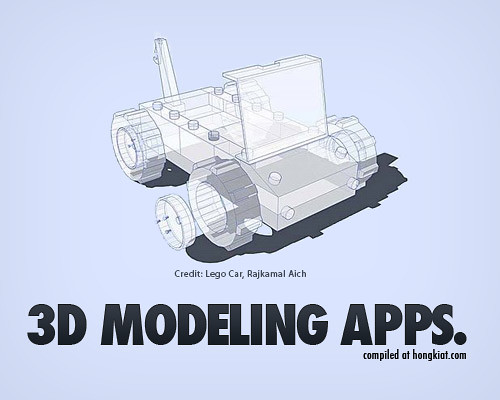
Technically, 3 Dimensions refers to objects that are constructed on three plans (X, Y and Z). The process of creating 3D graphics can be divided into three basic phases: 3D modeling, 3D animation and 3D rendering.
Three dimensional (3D) computer graphics are widely used and they are almost too common to see anywhere, let it be movies, products designs, advertisements, etc. Although they are commonly seen, that doesn’t mean they are easily created. In order to interactively control a 3D object, it must be created in a 3D authoring tool which usually cost a lot to a non-professional user.
A 3D model is usually originated on the computer by engineer using some kind of 3d modeling tools. Creating 3D models is not easy and the software alone can cost a fortune Therefore, we thought it might be interesting to check out the availability of open source 3D modeling tools out there. Crawling from sites to sites, reading through end users comments and feedback, we bring you 25 Free 3D Modelling Applications You Should Not Miss. Full list after jump.
  1. Blender

    A free and open source 3D modeling and animation application which can be used for modeling, UV unwrapping, texturing, rigging, water simulations, skinning, animating, rendering, particle and other simulations, non-linear editing, compositing, and creating interactive 3D applications.
     25 (Free) 3D Modeling Applications You Should Not Miss
  2. K-3D

    K-3D is free-as-in-freedom 3D modeling and animation software. It features a plugin-oriented procedural engine for all of its content, making K-3D a very versatile and powerful package.
    K-3D excels at polygonal modeling, and includes basic tools for NURBS, patches, curves and animation.

     25 (Free) 3D Modeling Applications You Should Not Miss
  3. Art Of Illusion

    Art of Illusion is a free, open source 3D modelling and rendering studio. Some of the highlights include subdivision surface based modelling tools, skeleton based animation, and a graphical language for designing procedural textures and materials.
     25 (Free) 3D Modeling Applications You Should Not Miss
  4. SOFTIMAGE|XSI Mod Tool

    A free 3D modeling and animation software for aspiring game developers and modders. The Mod Tool is a free version of XSI for non commercial game creation. It is made for everyone needing a powerful 3D application to make and mod games. The Mod Tool plugs into all the major game engines and development frameworks for next-generation games, casual games, mods for existing titles and even Flash-based 3D games.
     25 (Free) 3D Modeling Applications You Should Not Miss
  5. Zmodeler

    ZModeler (or Zanoza Modeler) is a 3D modeling application developed by Oleg Melashenko. It is aimed at modelers who model for computer games. ZModeler is capable of complex modeling, even though it does not support important modeling functions such as extruding, or beveling.
     25 (Free) 3D Modeling Applications You Should Not Miss
  6. TopMod3d

    TopMod3d is a free, open source, portable, platform independent topological mesh modeling system that allows users to create high genus 2-manifold meshes. It can also create solid models that can be prototyped using various rapid prototyping technology.
     25 (Free) 3D Modeling Applications You Should Not Miss
  7. Google SketchUp 6

     25 (Free) 3D Modeling Applications You Should Not Miss
    Google SketchUp is software that you can use to create, share and present 3D models. Whether you want to design a new deck for your house, build models for Google Earth, or teach geometry to your fifth-graders, you can use SketchUp to see your ideas in 3D. And when you’re done, you can export an image, make a movie or print out a view of what you made.
  8. AutoQ3D Community – 3D Editor

    AutoQ3D Community is an easy, light and fast 3D model editor tool that uses the full power of your PC´s graphics hardware, allowing you to rapidly prototype your 3D designs. Its interface is intuitive and easy to use and provided at no charge. It is released under the terms of the GNU General Public License so it will be free to use, modify  and distribute within any educational, professional or commercial purposes.
     25 (Free) 3D Modeling Applications You Should Not Miss
  9. Anim8or

    Anim8or is a 3D modeling and character animation program which allows users to create and modify 3D models with built-in primitives such as spheres, cylinders, platonic solids, etc.; mesh-edit and subdivision; splines, extrusion, lathing, modifiers, bevel and warps,
     25 (Free) 3D Modeling Applications You Should Not Miss
  10. Seamless3d

    Seamless3d is free open source 3d modelling software which designed for the artist who is realistic about the time it takes to learn any tool that’s going to offer creative freedom.
     25 (Free) 3D Modeling Applications You Should Not Miss
  11. BRL-CAD

    BRL-CAD is a powerful cross-platform constructive solid geometry solid modeling system that includes an interactive geometry editor, ray-tracing for rendering & geometric analyses, network distributed framebuffer support, image & signal-processing tools.
     25 (Free) 3D Modeling Applications You Should Not Miss
  12. 3DPlus

    With 3DPlus you can create outstanding 3D designs in just a few minutes – with no need for any complicated VRML or other programming. 3DPlus is the amazing 3D design software that enables you to create stunning 3D graphics for your home, school or business – no experience required!
     25 (Free) 3D Modeling Applications You Should Not Miss
  13. 3D Canvas

    3D Canvas is a real-time 3D modeling and animation tool that incorporates an intuitive drag-and-drop approach to 3D modeling. Complex models can be constructed from simple 3D primitives, or created using 3D Canvas’ Object Building Tools. Modeling tools are provided to deform, sculpt, and paint 3D objects.
     25 (Free) 3D Modeling Applications You Should Not Miss
  14. EDrawings

    eDrawings is a freeware utility which will give the user the power to view, create and share 3D models and 2D drawings. eDrawings offers unique capabilities like point-and-click animations that make it easy for anyone with a PC to interpret and understand 2D and 3D design data.
     25 (Free) 3D Modeling Applications You Should Not Miss
  15. Blink 3D

    Blink 3D is an authoring tool for creating 3D environments. The 3D environments are immersive, just like today’s modern games and can be viewed using the a Blink 3D Viewer on the Web or locally.
     25 (Free) 3D Modeling Applications You Should Not Miss
  16. Minos

    MINOS extends the capabilities of your existing 2D-or 3D-wireframe-based systems, so you can take advantage of all the benefits solid modeling offers right away. MINOS makes it easy to design 3D parts and assemblies. The design methodology is based on defining simple geometric elements including lines, curves, and circles, and then linking them together to form contours.
     25 (Free) 3D Modeling Applications You Should Not Miss
  17. FreeCAD

    freeCAD is a basic 3D CAD with advanced Motion Simulation capabilities. It is suitable for anyone interested in learning 3D CAD and Motion Simulation for free before using more sophisticated packages. Its motion simulation capabilities are comparable to the best and can provide accurate answers to engineers and scientists in diverse fields.
     25 (Free) 3D Modeling Applications You Should Not Miss
  18. Bishop3D

    Bishop3D is an interactive modeler and animation tool for the popular freeware raytracer POV-Ray™, a world-class renderer for creating three-dimensional photo-realistic images. Bishop3D allows you to model the scenes interactively and it will automatically generate the correspondent POV-Ray SDL script. It offers native keyframe animation support, POV-Ray SDL import and a powerful texture editor.
     25 (Free) 3D Modeling Applications You Should Not Miss
  19. K3DSurf

    K3DSurf is a program to visualize and manipulate Mathematical models in three, four, five and six dimensions. K3DSurf supports Parametric equations and Isosurfaces. K3DSurf can be used by every one interested in 3D Mathematical drawing functions and don’t require any special competences by users.
     25 (Free) 3D Modeling Applications You Should Not Miss
  20. DesignWorkshop Lite

    DesignWorkshop is a three-dimensional modeling program for architectural design and related endeavors. Its unique interface makes it more profoundly "Mac-like" than any prior modeling software. This interface allows it to support actual design in three dimensions, as opposed to just recording design ideas already worked out with other media.
     25 (Free) 3D Modeling Applications You Should Not Miss
  21. GDesign 2.0

    GDesign 2.0 is a 2D/3D free generative art application for Windows. With GDesign you can interactively build, test, and edit complex models. You can create, edit, build and preview huge 2D and 3D objects with extended LSystems and Cellular Automata tools.
     25 (Free) 3D Modeling Applications You Should Not Miss
  22. Sweet Home 3D

    Sweet Home 3D is a free interior design application that helps you place your furniture
    on a house 2D plan, with a 3D preview. Sweet Home 3D helps people to design their interior quickly. The user may: draw the walls of his rooms upon the image of an existing plan, change the color or the texture of the walls, import additional 3D models created by himself or downloaded from different Web sites, change the size, view the changes in the plan simultaneously in the 3D view, either from an aerial view point, or from a virtual visitor view point, print the home plan and the 3D view.

     25 (Free) 3D Modeling Applications You Should Not Miss
  23. TrueSpace

    trueSpace7.6 is a fully-featured 3D authoring package that will let you model, texture, light, animate and render 3D content. As well as traditional images and movies, you can also make 3D content for online shared spaces, and for Virtual Earth.
     25 (Free) 3D Modeling Applications You Should Not Miss
  24. Alibre Design Xpress

    Alibre Design Xpress is a rich and capable 3D solid modeler for creating mechanical parts, assemblies and 2D drawings – and is free. Alibre Design Xpress equips the person needing basic 3D design capabilities. Alibre Design Xpress has a rich set of integrated tutorials that you can use to learn the product quickly.
     25 (Free) 3D Modeling Applications You Should Not Miss
  25. 3DVIA Shape

    3DVia Shape is a free online 3D modeling application that eases you to create, publish and share ideas in 3D. There are 3DVIA archive of prototypes and modeling software you can choose to create three-dimensional. Each model can be viewed at any angle, spun around and zoomed-in on.
     25 (Free) 3D Modeling Applications You Should Not Miss